

 Premium version does not include an extra logo
How to Convert Videos to MP4: Step-by-Step Guide
Looking for the easiest way to convert video to MP4? Our free MP4 converter turns AVI, MOV, MKV, WMV, and more into MP4 format that works everywhere — on phones, computers, browsers, and social media.
With batch MP4 conversion, you can convert multiple files at once. Whether you’re a content creator, marketer, or business owner, MP4 ensures your videos are lightweight, compatible, and high-quality for online sharing.
Step 1: Choose Videos to Convert
Launch the converter tool and click Upload videos. Select files in AVI, MOV, MKV, WMV, FLV, or other formats that you want to convert to MP4.

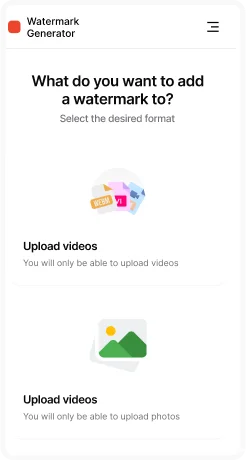
Step 2: Upload Files
Drag & drop your videos into the upload area or select them manually from your computer. Multiple video files can be uploaded at once for batch MP4 conversion.

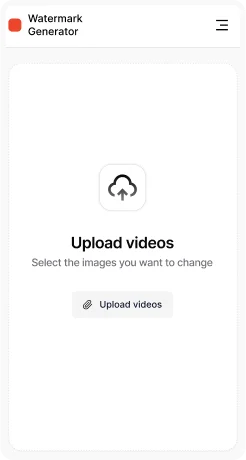
Step 3: Select Output Format
Choose MP4 as your output format. MP4 is the most popular video format, compatible with all devices, browsers, social media platforms, and video players.
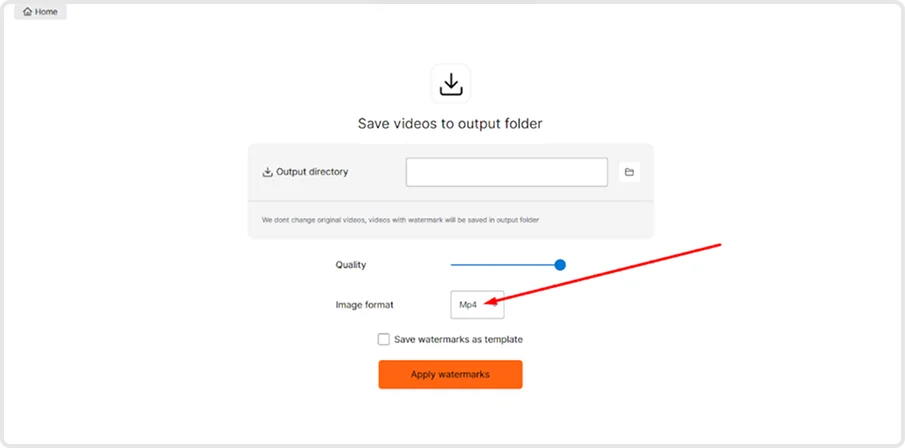
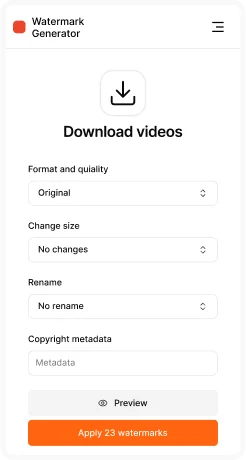
Step 4: Export & Save
Click Apply and software will process all uploaded files automatically. Once finished, download your MP4 videos in high quality and save them to your chosen folder.
Key Features of MP4 Converter
- Batch MP4 conversion – convert multiple videos at the same time.
- Universal compatibility – MP4 works on all devices, operating systems, and online platforms.
- High-quality output – export in HD, Full HD, or even 4K.
- Customizable settings – resolution, bitrate, frame rate, audio options.
- Fast & efficient processing – optimized for large video files.


